
Lawn size, bags to buy, and a lawn care schedule
Trace your lawn on the satellite photo, zone by zone. Lawn Calc gives the square footage, counts the bags for each feeding and reminds you on the day.

 Scan with your phone to install
Free on Android · No account · No subscription
How it works
- 1
Draw your lawn
Tap each zone's corners on the satellite photo. Take out the house and driveway.
- 2
Start the schedule
A typical program for your grass. Enter the rate from your bags.
- 3
Spread and log
A reminder on the day, the bags to buy, and one tap when it is done.
Lawn Calc in 20 seconds
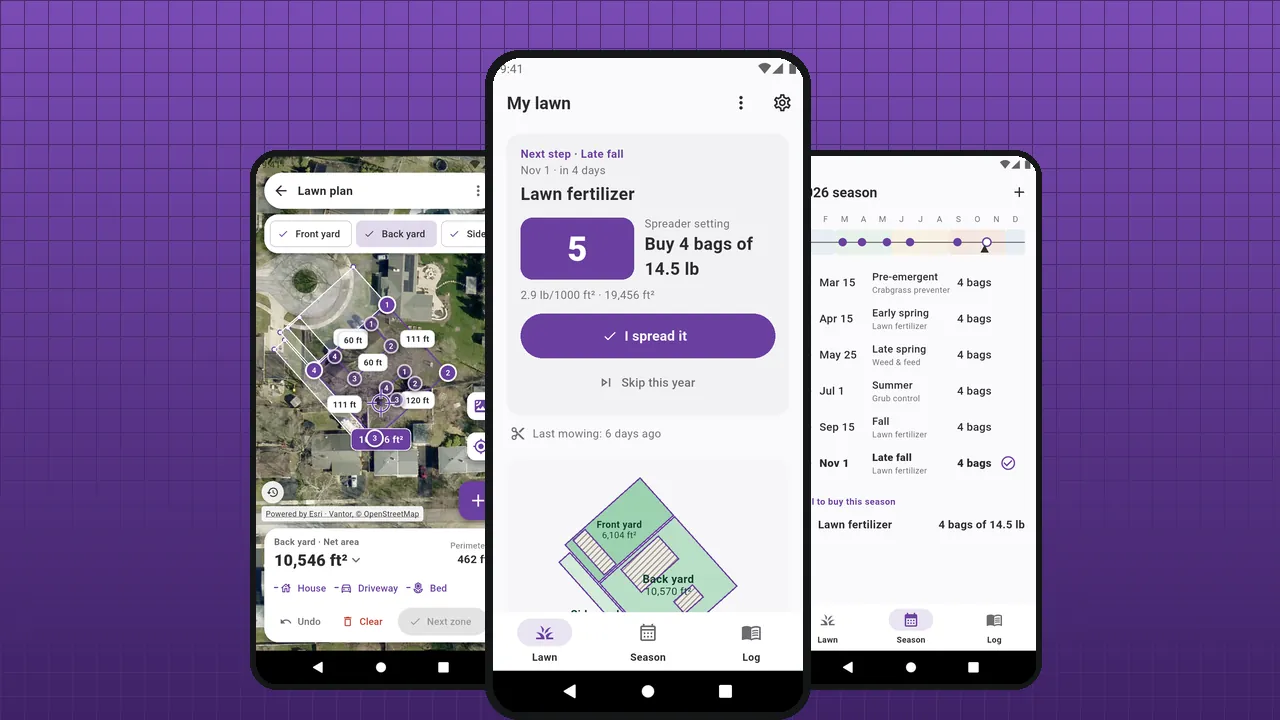 Play the video · 20 s
The video plays on YouTube. Nothing loads from YouTube until you press play.
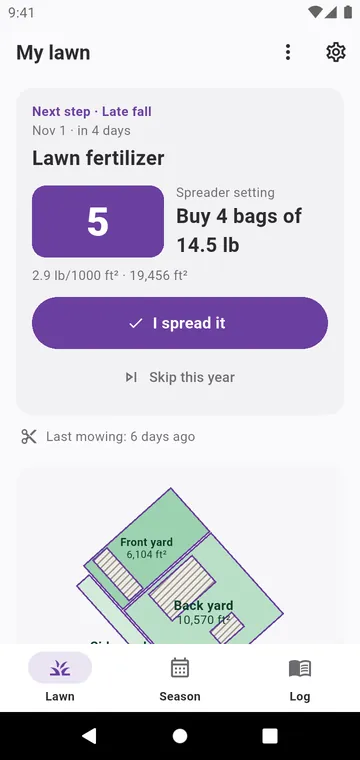
Lawn Calc is an Android app that measures your lawn and keeps its care schedule. The size of a lawn is the grass area only: the house, the driveway and the flower beds come out of it. Every bag of fertilizer, seed or lime is sold for a number of square feet, so this number decides what you buy.
Most lawns are not one rectangle: there is the front yard, the back yard, a side strip. Draw each zone on the satellite photo, from the couch. Start from a typical program for your grass, enter the rate printed on your bags, and the app tells you how many bags to buy, when to spread them and how long to water.
- Lawn size, zone by zone — traced on the satellite photo, house and driveway taken out. Lawn size calculator
- A schedule that reminds you — a typical program for cool-season or warm-season grass, every date yours to change. Lawn care schedule
- How many bags — from the rate on the bag, counted on the whole lawn. Fertilizer calculator
- A log — mowing, watering, every product you spread. Lawn care log
There is no account and no subscription. Your zones, schedule and log stay on your phone. Ads pay for the app, and one purchase removes them.
Everything for your lawn's year
Lawn size calculator
The square footage of your grass, zone by zone, measured on the satellite photo.
Lawn care schedule
A typical program for your grass type, a reminder on the morning of each step, and nothing you cannot change.
Fertilizer calculator
Copy the rate from the bag. Lawn Calc counts the pounds for each zone and the bags for the whole lawn.
Watering
Enter your sprinkler once. Each zone gets its minutes per watering.
Lawn care log
Every mowing, watering and bag spread, with the year's totals.
Seed, lime, sod
Beyond fertilizer: what to buy to overseed, lime, sod or topdress, from the area you measured.
Privacy
No account, no server of ours. Here is everything the app sends over the network.
Why Lawn Calc
- Free: every feature
- No account, no subscription
- A reminder on the day of each step
- Square feet or square meters
- 43 languages
- Android 8.0 and later
See it in the app
My lawn: the next step, the bags to buy and the zones
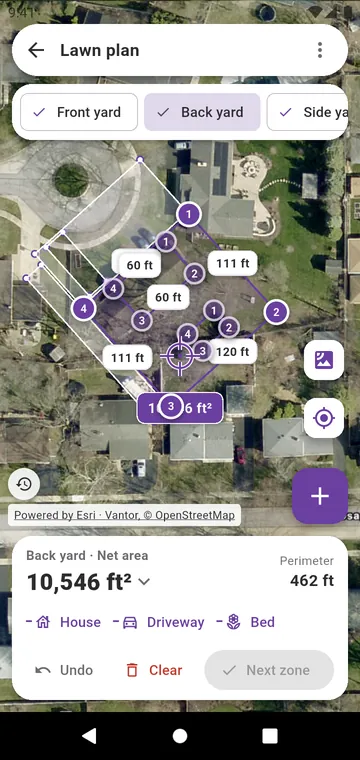
A lawn drawn zone by zone on the satellite photo
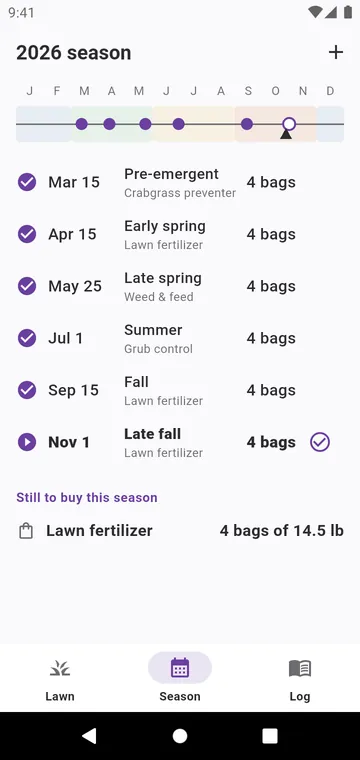
The season: the year's steps for your grass type
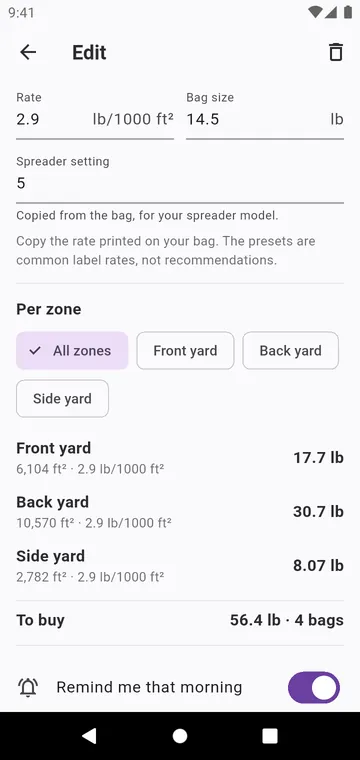
A step: the rate from the bag, the spreader setting, the bags
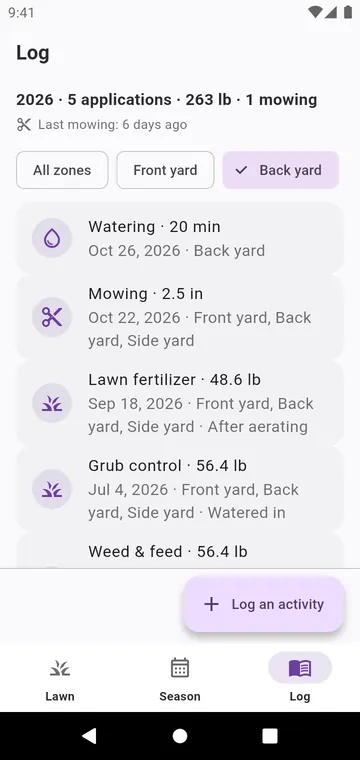
The log: mowing, watering and every product spread
Guides
Measure lawn square footage
Fertilizer, seed and lime are sold for a number of square feet. Here is how to find yours, with a tape or from the couch.
How much fertilizer
The bag tells you the rate. Your lawn's size does the rest. Here is the calculation, and why you should count bags on the whole lawn.
Lawn care schedule
A typical year of lawn care, for the two families of grass. Dates are for the northern hemisphere; adapt them to your weather.
How long to water
A lawn needs about an inch of water a week, rain included. How long that takes depends on your sprinkler.
Cool or warm-season grass
The two families of lawn grass grow at opposite times of the year. Knowing yours sets when to feed it.
Know your lawn's size in a few minutes
Draw it on the satellite photo, then let the schedule tell you what to spread and when.